Limousine Car Game Simulator
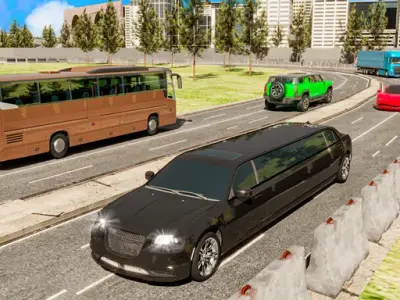
Limousine Car Game Simulator is an immersive driving game that places you behind the wheel of the world’s most luxurious vehicles. The core objective, consequently, involves navigating a sprawling city environment while mastering the unique handling of a stretched limo. Players must demonstrate precision and patience, as driving such a large vehicle requires careful spatial awareness. Therefore, this experience offers a relaxing yet challenging way to test your virtual chauffeur skills in a realistic urban setting.
To master the gameplay, players must effectively navigate through dense city traffic without causing collisions. You will earn rewards by completing various routes, which, in addition, allows you to accumulate coins. These coins are essential, as they provide the means to unlock premium vehicle models. Furthermore, your progression depends entirely on your ability to maintain speed while staying on the road. The Limousine Car Game Simulator mechanics ensure that every turn feels deliberate, rewarding those who drive with consistent focus.
Beyond that, the game features a comprehensive progression system that keeps you engaged for hours. Collecting hidden coins, for instance, serves as a great incentive for exploration across the map. This rewarding loop makes Limousine Car Game Simulator distinct, as it balances casual exploration with the thrill of unlocking high-end content for your collection.
Frequently asked questions
How can I get started with Limousine Car Game Simulator?
Start the engine to enter the city. Navigate the streets using precise steering. Collect coins scattered throughout the map. Avoid crashing into other vehicles to maintain your progress. Unlock new luxury vehicles using your earned currency.
How do I control the game in Limousine Car Game Simulator?
Keyboard: Use W, A, S, and D keys to steer and accelerate. Keyboard: Use the spacebar to engage the handbrake for sharp turns.
Where do I download the game Limousine Car Game Simulator?
You do not have to. The game Limousine Car Game Simulator runs directly in your browser, so there is nothing to download or install. It works best in landscape orientation. It is also free, so there is nothing to pay for.
Found a bug in the game Limousine Car Game Simulator?
Thank you for telling us. Use the Report Problem button under the game and we will take a look.
What should I play after Limousine Car Game Simulator?
See all categories to find more.