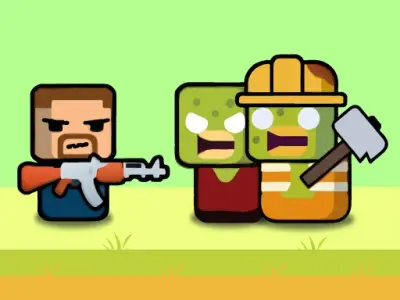
Zombie Horde: Build & Survive is a thrilling strategy game that challenges your tactical instincts. In this post-apocalyptic world, you must fortify your position against relentless waves of the undead. Consequently, your primary objective remains clear: survive as long as possible while managing your limited resources. The game, moreover, tests your ability to adapt under pressure. Every decision you make, therefore, directly impacts your chances of holding the line against the encroaching, terrifying horde.
Players interact with the environment by placing defensive turrets and barricades strategically. You must, meanwhile, utilize powerful weapons to eliminate enemies before they breach your perimeter. As you progress, the difficulty spikes, requiring faster reflexes and better planning. Your success, furthermore, depends on balancing aggressive offense with sturdy defense. If you fail to prepare, the swarm will quickly overwhelm your position. Staying vigilant is, therefore, the key to achieving a high score.
Zombie Horde: Build & Survive also features a deep upgrade system that keeps the gameplay fresh. You can, for instance, enhance your weaponry and defensive structures between waves to gain a crucial advantage. Beyond that, the sense of progression keeps you coming back for more intense action. This unique loop makes Zombie Horde: Build & Survive a standout experience for all fans of survival mechanics.
Frequently asked questions
How do I play Zombie Horde: Build & Survive?
Start by scanning the map for tactical locations. Place your barricades to funnel the enemies. Position your turrets to maximize firepower. Fight off each incoming wave with precision. Finally, upgrade your gear to survive the next round.
What are the controls for Zombie Horde: Build & Survive?
Keyboard: Use WASD or arrow keys to move your character around the map Mobile: Drag your finger across the screen to control your movement direction
Can I play Zombie Horde: Build & Survive on my phone, and do I need to download it?
There is nothing to download or install. The game Zombie Horde: Build & Survive runs in your web browser (Desktop and Mobile). It works best in landscape orientation.
Is the game Zombie Horde: Build & Survive free, and what if it does not work?
Yes, Zombie Horde: Build & Survive is free to play and no account is needed. If it will not load or something looks wrong, reload the page first. If the problem continues, press the Report Problem button under the game and we will check it.
Where can I find more games like Zombie Horde: Build & Survive?
See all categories to find more.