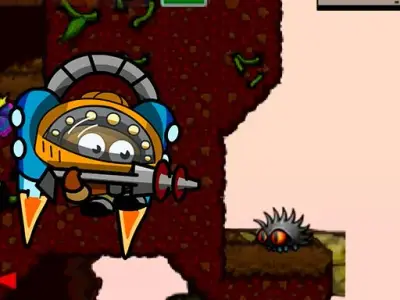
City Siege 4. Alien Siege is a thrilling shooter game that transports you to a hostile alien planet. Therefore, your primary objective involves deploying specialized units to defeat aggressive plant life and rescue abducted humans. City Siege 4. Alien Siege, furthermore, requires tactical precision as you explore this dangerous new world. You must collect valuable gems, meanwhile, to maximize your score while navigating through challenging levels that demand quick reflexes and clever combat strategies.
Players interact with the environment by clicking the drop ship to deploy their elite troops. You must aim and shoot with the mouse, additionally, to neutralize threats effectively. The game mechanics, moreover, allow you to select individual units or toggle grouping modes for better coordination. Successfully clearing these stages, finally, depends on your ability to manage unit positions and utilize advanced weaponry against the alien forces while maintaining your squad’s overall health.
City Siege 4. Alien Siege provides a unique teleportation mechanic that allows you to instantly move your entire grouped squad to a specific soldier’s location. This feature, consequently, enables rapid repositioning during intense firefights. Beyond that, the strategic depth of managing different unit types ensures that every mission feels like a fresh, engaging test of your tactical skills and combat prowess.
Frequently asked questions
How does the game City Siege 4. Alien Siege work?
Deploy your troops from the drop ship. Aim and shoot using the mouse. Group your soldiers for coordinated attacks. Toggle between modes to manage your squad. Teleport units to secure new positions. Clear each level to succeed.
What buttons or keys do I need for City Siege 4. Alien Siege?
Keyboard/Mouse: Use the mouse to navigate menus and aim. Use WASD or arrows to move. Press G for grouping, T for teleporting, and + or – to switch units.
Will I need to download the game City Siege 4. Alien Siege?
No download is needed. Just open the page and press play. The game City Siege 4. Alien Siege works in your browser on Desktop and Mobile. It works best in landscape orientation. It is free to play, with no sign-up needed.
What if the game City Siege 4. Alien Siege freezes or will not start?
Reload the page or try another browser. If that does not help, press the Report Problem button under the game and tell us what happened.
More games like City Siege 4. Alien Siege?
Browse more Shooter games.